Review day used to be the deadest hour of the week. You hand out a worksheet, half the class checks out, and the other half finishes in four minutes and starts talking. Blooket fixes that exact problem, and it does it without pretending a quiz is anything other than a quiz.
This guide covers what Blooket actually is, how students join a game in under a minute, how teachers host one properly, every game mode worth knowing, how the Blooks-and-tokens system really works in 2026, and the honest truth about “Blooket hacks.” For deeper walkthroughs on specific game modes and hosting tips, our sister resource Bloket covers advanced strategy in detail.
What Blooket Actually Is (and Why It Works)
Blooket is a free, browser-based learning platform that wraps ordinary quiz questions inside small competitive games. A teacher builds or borrows a set of questions, students join with a short code, and Blooket layers game mechanics on top of the content. No account is required to play, and there’s nothing to download.
The clever part is structural. Blooket keeps the quiz layer completely separate from the game layer. Your twenty vocabulary questions aren’t welded to one format. The same set can run as Gold Quest on Monday, Tower Defense on Wednesday, and Crypto Hack on Friday. It feels like three different activities to the kids, even though it’s one set of questions.
That separation is the whole reason teachers stick with it. Most quiz tools give you one experience, and then it gets stale fast. Blooket gives you one strong question set and more than two dozen ways to play it, so a single good set on, say, the water cycle keeps earning its keep for weeks.
Where Blooket came from
It helps to know who built it, because it explains the design choices. Blooket comes from two brothers, Ben and Tom Stewart. Ben, a self-taught developer, shipped the first version in 2018 as a side project, and the public launch landed in October 2020, right when schools needed remote tools. It’s still independent and bootstrapped, which is rare for an education tool this widely used.
In a 2023 interview, Ben described the goal plainly: build games students actually want to play during review. The way classes keep returning to it suggests he got there. The platform now reaches millions of students and teachers, and it has grown by adding game modes and Blooks rather than bolting on heavy assessment features.
What Blooket is good at, and what it isn’t
One honest limit, said out loud: Blooket reinforces, it doesn’t teach from scratch. It won’t introduce a brand-new concept the way a real lesson does. What it does well is lock in material students have already seen.
That makes it close to perfect for review, test prep, vocabulary drilling, and the Friday-afternoon energy slump. It’s a poor fit for delivering new content cold. Use it as the tool that cements learning, not the one that starts it, and you’ll never be disappointed.
How to Join a Blooket Game (Students)
This is the single most-searched thing about the platform, so here it is, step by step. A student needs only two things: the game code and a browser.
- Go to play.blooket.com.
- Type the Game ID the host shared. Codes are short, usually six digits.
- Enter a nickname, or sign in with an account if the teacher requires real names.
- Pick a Blook while you wait, then sit in the lobby until the host starts.
There’s no sign-up wall, and that matters more than it sounds. When students have to make accounts or download anything, you lose five minutes minimum and a couple of frustrated kids. With a code, the whole class is in the lobby in under a minute.
Joining on a phone or tablet
Blooket runs in any modern mobile browser, so there’s no app to install. Open the browser, go to play.blooket.com, type the code, pick a nickname, and tap join. If a teacher shared a QR code instead, point the camera at it and tap the link. Everything works the same as on a laptop.
Common joining problems and quick fixes
If the code “doesn’t work,” the host has almost certainly closed the lobby or already started the game. Blooket join codes are single-session, and they get recycled the moment a game ends, which is also why those lists of “active Blooket codes” floating around social media are basically always dead.
If a nickname gets rejected, the teacher has switched on real names. If the page loads slowly or sticks on “waiting for host,” refresh once, and use Chrome or Edge rather than an older browser. And if nothing helps, double-check you typed all the digits, since one wrong number sends you nowhere.
How to Host a Blooket Game (Teachers)
Hosting takes about two minutes once your questions exist. The buttons are the easy part; the timing is the skill.
- Log in at blooket.com and open your dashboard.
- Pick a question set, or grab a ready-made one from Discover. Ten to fifteen questions is plenty for a first run.
- Click Host, then choose a game mode.
- Adjust the settings: time limit, late joins, and any random-event toggles.
- Launch, and Blooket generates a code, a link, and a QR code. Put the code up large on the board.
The settings that actually change the game
Most teachers click Host, take the defaults, and never touch the rest. That’s a missed opportunity, because two or three settings quietly decide whether the session works.
The game length matters most. Around ten minutes suits a standard review; longer than that and energy dips. The “allow late join” toggle is worth thinking about, because in a chaotic room it lets stragglers in, but in a focused one it can pull attention back to the lobby. And the random-event setting controls how luck-heavy the game feels, which you’ll want lower when you care about effort showing up in the results.
The four habits that separate good hosts from frustrated ones
Wait for the room before you start. If you launch with two-thirds of the class in, the latecomers feel locked out before they answer a single question. Wait for at least ninety percent of the room. That thirty-second wait pays for itself every time.
Match the timer to the question. A forty-five-second timer on a simple recall item means the kids who know it spend forty seconds doing nothing useful. Tighten timers for recall, loosen them for reasoning.
Rotate your modes. Use the same one every week and students get bored with the format, even though the questions are different. Four or five modes on rotation keeps the novelty alive across a term.
Read the report afterward. This is the step nearly everyone skips. The host dashboard shows you exactly which questions the class struggled with, broken down per student. That single screen is your next mini-lesson, already written for you.
Live game or homework
Not every Blooket session has to be live. If a live game doesn’t fit your day, assign the same set as homework. Students play on their own schedule, and you still get the results, which suits flipped classrooms, enrichment, and the kids who were absent. It’s the same content doing double duty.
Every Blooket Game Mode Worth Knowing
Blooket has more than 25 game modes in 2026, roughly 18 of them free with the rest reserved for Blooket Plus. You don’t need all of them. You need a handful that fit your goals. Here’s the honest rundown, with notes on energy level and the best fit for each.
Gold Quest
Students answer questions to crack open treasure chests. Each chest hides gold, or a card that lets them steal from a rival, swap totals, or protect their own pile. The standings flip wildly in the last thirty seconds, which keeps even the kid in last place engaged until the buzzer.
Best for: Any age, any subject, mixed-ability classes. Energy: Very high. Watch out for: It’s luck-heavy, so skip it on days when you want the strongest student to clearly win.
Tower Defense 2
Correct answers earn energy, and players spend it building towers to stop incoming enemy waves. This rewards sustained accuracy rather than a lucky chest, so effort actually correlates with the result. It’s one of the most strategy-friendly modes, and it suits students who like building and planning.
Best for: Upper elementary through high school. Energy: Medium, focused.
Tower of Doom
A more RPG-flavored cousin of Tower Defense. Players choose paths, face enemies, and use cards earned through correct answers. It rewards careful reading and decision-making, which makes it a nice change of pace from the fast modes.
Best for: Students who enjoy a bit of adventure structure. Energy: Medium.
Cafe
Younger students love this one. They run a cafe, take orders, and answer questions to keep customers served and tips flowing. It’s gentler and far less cutthroat than Gold Quest, which suits early grades and lower-stakes practice.
Best for: Elementary classes. Energy: Calm but engaging.
Factory
Players collect Blooks that passively generate income, then answer questions to earn more. The strategy is in choosing which Blooks to invest in early. It runs at a slower, more thoughtful pace, and it works especially well for small-group competition.
Best for: Small groups, strategy-minded students. Energy: Medium.
Crypto Hack
A standout, and an unexpectedly useful one. Students answer questions to “mine” tokens shown with a Bitcoin-style symbol, and they can hack each other to steal balances. There’s no real blockchain under it, but it’s one of the cleanest hooks in any classroom tool for teaching digital scarcity, wallets, and why account security matters.
Best for: Middle and high school, especially money, economics, or online-safety units. Energy: High, with real tension.
Battle Royale
Students go head-to-head in matchups, and wrong answers knock them out of rounds. The pace is fast and the pressure is real, which makes it great for energy and terrible for anxious students on a bad day. Read your room before choosing it.
Best for: Confident classes that thrive on competition. Energy: Very high.
Racing (Classic-style modes)
Some of the simplest modes just move a Blook forward for every correct answer, racing to the finish. There’s no luck layer and no complex strategy, which makes them perfect when you want a clean, quick round where the strongest student wins fair and square.
Best for: Fast warm-ups and straightforward review. Energy: Medium.
Fishing Frenzy
Players catch fish, and the value of the catch depends on answering correctly. It’s a relaxed, collection-flavored mode with a bit of randomness in what you reel in. Younger students enjoy the theme, and it makes a gentle alternative to the aggressive steal-based modes.
Best for: Elementary and middle grades. Energy: Calm.
Deceptive Dinos
A social-deduction twist where a hidden player can sabotage others. It adds a layer of suspicion and chatter to a normal quiz, which can be hilarious with the right class and chaotic with the wrong one. Use it when you want energy and your group can handle a bit of mischief.
Best for: Groups that enjoy a social, talkative game. Energy: High and loud.
Monster Brawl
Players answer questions to power up and battle monsters, with a light combat structure on top of the quiz. It’s a solid middle ground between the strategy modes and the pure-energy ones, and the theme lands well with younger players.
Best for: Upper elementary and middle school. Energy: Medium-high.
Pirate’s Plunder
A treasure-hunting mode where correct answers help players dig up and protect loot. It shares some DNA with Gold Quest in that fortunes can swing, but the pirate framing gives it its own feel. A good rotation option once Gold Quest starts feeling familiar.
Best for: Mixed classes wanting variety. Energy: High.
Blook Rush
A team-leaning mode focused on speed and volume of correct answers, with attacking and defending mechanics. It rewards fast, accurate play and keeps the whole group moving. It’s a strong pick when you want pace without the elimination sting of Battle Royale.
Best for: Whole-class energy with less knockout pressure. Energy: High.
Solo and homework practice
No competition, no timer, no pressure. Just questions with instant feedback. This is the most effective mode for genuine learning and test prep, precisely because it strips out the chaos. When a student needs to actually master material rather than win a race, send them here. It’s the unglamorous mode that does the most teaching.
Blooket Plus exclusive modes
A handful of newer modes sit behind the Plus subscription, with names like Laser Tag, Busy Bees, and Star Grazer rotating in over time. They add variety for heavy users, but none of them is essential. The free lineup is more than enough to keep a class engaged all year.
New in 2026: Save States
The most useful recent addition is save states. Tower Defense 2, Tower of Doom, and Cafe now let a player save progress and return exactly where they left off. Fifteen minutes today, pick up tomorrow.
This quietly changes how those modes work as homework. A longer strategy game no longer has to be finished in one sitting, which makes them realistic to assign over a couple of days. It’s a small feature with a real impact on how teachers can use the platform outside class.
How to Win: Real Blooket Strategy
Since students always ask, here’s how to win the chest-based and steal-based modes like Gold Quest, and none of it is cheating. It’s just paying attention while everyone else clicks randomly.
The most common mistake is opening every chest the second you earn it. Hold them. If you’re already in first place, opening chests just paints a target on your back and invites a steal. Bank them quietly and open when you’ve slipped down the board.
Save your steal and swap cards too. Firing them early wastes them, because the leaderboard will shuffle several more times before the end. Wait until someone passes you, then take the lead back at the right moment. And keep one eye on whoever’s sitting in last place, because they have nothing to lose and they’ll almost always come for the leader in the final seconds. The whole game is patience and timing, not luck.
For the strategy modes like Tower Defense and Factory, the win condition is simpler: accuracy and speed. There’s no card to save you, so the student who reads carefully and answers correctly the most times wins. That’s by design, and it’s exactly why those modes are better when you want effort to matter.
Blooks, Rarities, and the Collection Game
Underneath the games sits a collection system, and it’s a bigger reason students keep coming back than most adults realize. The games are the hook; the Blooks are the reason they return tomorrow.
Players earn tokens by playing, then spend them in the shop on Blooks, the small square avatar creatures that have become the platform’s mascot. There are over 330 Blooks as of 2026, with new ones added during seasonal events and updates throughout the year.
How the rarities work
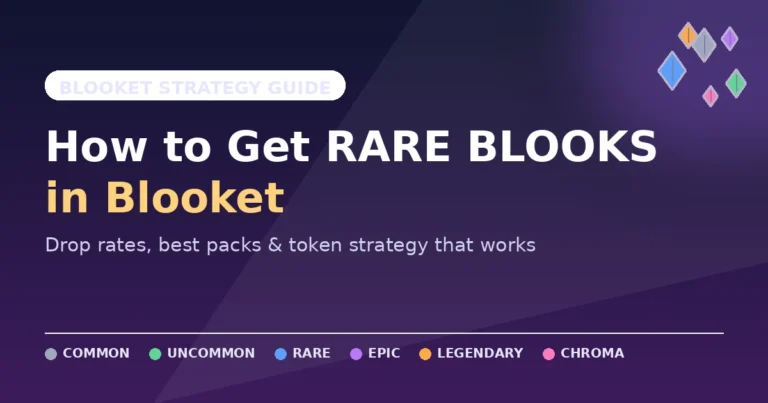
Blooks come in tiers, and the scarcity is the whole point. The common end is easy to fill out with regular play. As you climb toward rarer tiers, the odds drop sharply, and the chase is what gives the system its pull.
The rarest tier, the Mystical Blooks, sits at roughly a 1-in-2,000 drop rate, and several of them only appear during limited special events. That kind of long-tail rarity is why students will happily grind tokens for days. It’s the same psychology that powers trading cards, pointed at a quiz platform.
Why teachers should care about Blooks
You might be tempted to treat the collection as a distraction from learning. In practice, it’s the engine that makes students want to play your review game in the first place. A student chasing a rare Blook will answer a lot of questions correctly to get there, and those questions are your content. The motivation layer does real work, so it’s worth understanding rather than ignoring.
How Blooket Tokens Work in 2026
Tokens are the currency that connects playing games to collecting Blooks, and the system changed in a way worth knowing.
Blooket reworked its token economy in 2025, dropping the old random end-of-game multiplier wheel in favor of a permanent multiplier applied automatically to every game. That single change made earning far more predictable, which rewards students who play consistently rather than those who got lucky on the wheel.
There’s a daily cap on tokens earned through normal gameplay, sitting around 500, plus a Daily Wheel that hands out a bonus after the first game of the day. The practical takeaway for students is simple: a focused daily session, including that first-game wheel spin, earns far more over a week than any one-off marathon. Consistency beats luck now, which is a healthier incentive than the platform had before.
Blooket Plus: Pricing and Whether It’s Worth It
The core platform is genuinely free, and for most classrooms that’s the end of the story. The free tier includes around 18 game modes, unlimited question sets, hosting for up to 60 players, and homework assignments, which covers the vast majority of class sizes comfortably.
Blooket Plus is the optional upgrade. It runs roughly $4.99 a month when billed annually, which works out to about $59.88 a year, or closer to $9.99 on a month-to-month plan. It raises the live-game limit to around 300 players and unlocks extra game modes, enhanced reports, and a few quality-of-life features. Pricing has shifted before, so check the official site for the current number before you buy.
So is it worth it? For a teacher running the occasional game, no. The free tier does everything you need. For someone hosting weekly, tracking mastery closely, or running assemblies and multi-class events where the 60-player cap pinches, the upgrade pays for itself in saved hassle. Compared with the paid tiers of similar tools, Blooket Plus is on the cheaper end, which makes the decision easier if you’re already a heavy user.
Blooket for Teachers: Getting Real Learning Out of It
It’s easy to use Blooket as a reward and nothing more. It can be much more than that with a little intent.
Build your question sets around the misconceptions you actually see, not just the facts you want covered. When a wrong answer option mirrors a real student mistake, the game becomes diagnostic, and the post-game report tells you precisely where the class is shaky. That report is the most underused feature on the platform.
Tie game choice to your goal, too. Use a luck-light mode like Tower Defense or a Racing-style mode when you want the result to reflect who actually knows the material. Save the chaotic, steal-heavy modes for pure engagement days when the score doesn’t need to mean much. Matching the mode to the purpose is the difference between a fun distraction and a genuine teaching tool.
Blooket for Parents: What to Know
If your child plays Blooket at home, the basics are reassuring. The platform is a legitimate, widely used education tool, students can play without handing over personal information, and the content is whatever their teacher assigned.
The thing to watch isn’t Blooket itself; it’s the third-party “hack” and “token generator” sites your child might find while searching. Those are where the real risk lives. Keep them on play.blooket.com and blooket.com, and treat any site promising free tokens or auto-answers as something to avoid. Beyond that, a child grinding tokens to collect Blooks is, underneath the fun, answering a lot of quiz questions, which is exactly what you’d want.
The Truth About Blooket Hacks (and Staying Safe)
This is where most guides go soft, and I’d rather be straight with you, because the bad advice here is the kind that gets an account stolen or a device infected.
Search “Blooket hacks” and you’ll find sites promising free tokens, auto-answer scripts, and infinite Blooks. The honest version: most of it doesn’t work, and the part that “works” isn’t worth what it costs you. Every semester a new hack or bot site appears, and most of them are scams, adware, or phishing pages built to harvest logins.
The mechanics explain why. These tools are browser scripts that exploit how Blooket’s front end talks to its servers, so they break within weeks every time the platform patches, which is constantly. They also carry two real risks. They violate Blooket’s terms of service, which can get an account banned. And many are hosted on shady sites that quietly drop malware or steal credentials.
So the rule is simple, especially for teachers and parents: send students to play.blooket.com only, and treat anything labeled “inject,” “executor,” “token tool,” or “login helper” as hostile. Never type a Blooket password into a third-party “helper.” If you want more tokens, play daily and use the Daily Wheel. That’s the only “hack” that actually lasts, and it won’t cost you your account.
Common Hosting Mistakes
Three errors come up again and again, and all three are free to fix. Starting before the room is in, which strands latecomers and kills their buy-in. Leaving timers too long, which hands fast finishers idle time to misbehave. And running the same mode every single week until the format goes stale and the energy drains out of it.
None of these are about your questions. They’re about pacing and variety. Fix the timing and rotate your modes, and the same content that fell flat last month will land.
Blooket vs Kahoot, Gimkit, and Wayground
Blooket isn’t the only game-based quiz tool, so here’s where it sits among the main alternatives.
| Platform | Free player limit | Entry paid tier | Known for |
|---|---|---|---|
| Blooket | ~60 | ~$4.99/mo (annual) | 25+ game modes, Blook collection, repeat-play value |
| Kahoot | ~50 | ~$3.99/mo | The original buzzer quiz; one core format |
| Gimkit | varies | ~$9.99/mo | Money and upgrade mechanics; pricier |
| Wayground (formerly Quizizz) | varies | ~$7.99/mo | Heavier assessment features |
The short read: Blooket sits in the middle, lighter than a full assessment system but richer than a buzzer app, and its edge is the collectible Blook economy plus a deep mode catalog that keeps one question set fresh for weeks. On entry-level pricing it’s the cheapest of the four.
Kahoot still wins for a quick, high-energy buzzer round with minimal setup. Gimkit and Wayground win if you want deeper assessment and reporting. But for repeatable review that students genuinely don’t tire of, Blooket is hard to beat, mostly because of that collection layer the others lack.
Frequently Asked Questions
Is Blooket free to use?
Yes. The core platform is free, and that covers most classrooms. The free tier includes around 18 game modes, unlimited question sets, hosting for up to 60 players, and homework assignments. Blooket Plus is an optional upgrade for larger games and extra modes, but you can run effective review sessions for years without paying.
Do students need an account to play Blooket?
No. Students can join as guests with just the game code and a browser. An account is optional, and it mainly helps students keep their tokens, collect Blooks, and track progress across sessions. For a one-off live game, a nickname is all anyone needs to take part.
How many players can join a Blooket game?
The free tier supports up to 60 players per game, while Blooket Plus expands that to around 300, which suits assemblies or multi-class events. For a normal classroom, the free 60-player cap is rarely a problem. If you regularly run large groups, that higher limit is the main reason to upgrade.
Is Blooket safe for kids?
The platform itself is a legitimate, widely used education tool. The real risk lives off-platform, on third-party “hack” and “bot” sites that are usually scams or phishing. Keep students on play.blooket.com and blooket.com, use real-name settings when appropriate, and the experience stays safe and age-appropriate.
Are Blooket hacks safe to use?
No. Even if a script seems to work, it violates Blooket’s rules, and detection makes bans likely over time. Worse, many scripts live on unverified sites that can install malware or steal credentials. The honest path to more tokens is daily play plus the Daily Wheel bonus, which is reliable and keeps your account intact.
Can I play Blooket solo or assign it as homework?
Yes to both. Solo mode strips out competition for focused, low-pressure practice, which is genuinely the best mode for test prep. You can also assign a game as homework so students play on their own schedule, and you still receive their results in the dashboard. It’s ideal for flipped classrooms and absent students.
What’s the difference between Blooket and Kahoot?
Kahoot is the classic buzzer quiz with essentially one format. Blooket layers many different game modes on top of your questions, plus a Blook collection that gives students a reason to return. With 25+ modes versus Kahoot’s one or two, the same Blooket question set stays fresh far longer across a term.
How do you earn tokens fast in Blooket?
Play consistently. Since the system rework, every game applies an automatic multiplier, daily gameplay caps around 500 tokens, and the Daily Wheel adds a bonus after your first game each day. A focused daily session, including that wheel spin, earns more over a week than any risky script, and it won’t get you banned.
The Bottom Line
Blooket works because it respects how students actually are. It doesn’t disguise a worksheet with bright colors; it puts real questions inside real games and lets competition do the rest. Teachers get a tool they can reuse for weeks from one good question set, plus a report that points straight at the next lesson. Students get something they’ll choose to play.
If you’ve never hosted a game, do this today: build ten questions on something your class covered this week, run it as Gold Quest, and watch the room. Then open the report and let it tell you what to teach next. That single loop, one set, one game, one report, is the whole value of Blooket in a nutshell.
This guide covers what Blooket actually is, how students join a game in under a minute, how teachers host one properly, every game mode worth knowing, how the Blooks-and-tokens system really works in 2026, and the honest truth about “Blooket hacks.” Whether you teach, study, or you’re a parent helping with homework, by the end you’ll know how to get real value out of the platform. For more Blooket guides and updates, visit blooket.it.com
For more mode breakdowns, hosting walkthroughs, and 2026 updates, browse the rest of the blog and pick the guide that matches what you’re doing next.
Disclaimer
This article is an independent guide created for informational and educational purposes only. This blog is not affiliated with, endorsed by, or officially connected to Blooket or Blooket LLC in any way. Blooket, Blooks, and related names are the property of their respective owners.
Features, game modes, player limits, token rules, and Blooket Plus pricing can change at any time. The details here reflect the best available information at the time of writing, but you should always confirm current features and prices on the official website at blooket.com before making decisions or purchases.
We do not provide, endorse, or recommend any “Blooket hacks,” cheats, bots, scripts, or third-party token generators. Such tools may violate Blooket’s terms of service and can put your account, device, and personal data at risk. Always use only the official Blooket website. Any action you take based on this article is at your own discretion and risk.